Journal Page — Content Reference
CMS Path: Pages → Journal
File: content/journal.md
The Journal Page is a controller — it does not contain articles itself. It lists articles from the Blog Posts collection.

Page Metadata
| Field | File Key | What It Controls |
|---|---|---|
| Layout | layout | Template used (do not change) |
| Title | title | Browser tab and SEO title |
| Description | description | Meta description |
| Image | image | Social share image |
| Keywords | keywords | SEO keywords |
Collection Settings
| Field | File Key | What It Controls |
|---|---|---|
| Collection | collection | Which collection to list (default: posts) |
| Pagination | pagination | Number of posts per page |
| Sort By | sort_by | Field to sort by (default: date) |
| Sort Order | sort_order | asc or desc |
What Each Setting Does
- Collection — tells the controller where to pull items from. Default is
posts. Change this only if you rename the collection folder. - Pagination — how many posts appear on each page. Common values: 6, 9, 12.
- Sort By — which field to sort by. Use
datefor newest first, ortitlefor alphabetical. - Sort Order —
descputs newest first,ascputs oldest first.
How Pagination Works
If pagination: 6 and you have 18 posts, the Journal page generates:
/journal/           → page 1 (posts 1–6)
/journal/page/2/    → page 2 (posts 7–12)
/journal/page/3/    → page 3 (posts 13–18)
The template automatically renders Previous and Next links.
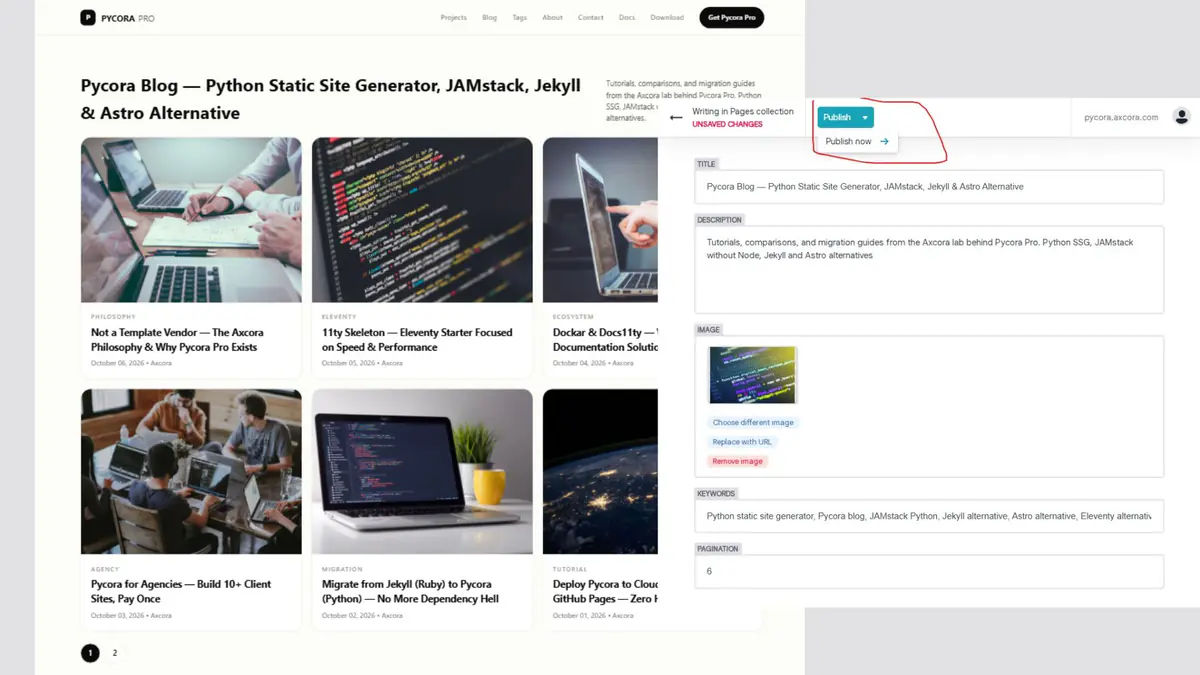
How to Edit the Journal Page
- Open the CMS at
/admin/ - Click Pages → Journal
- Edit the metadata
- Adjust pagination or sorting
- Click Save
To edit the articles themselves, go to Blog Posts in the sidebar.
Common Pagination Values
| Posts per Page | Best For |
|---|---|
| 4 | Featured-heavy journals |
| 6 | Balanced (default) |
| 9 | Content-rich blogs |
| 12 | Magazine-style listing |
Best Practices
- Set pagination to match your design — 6 works for most blogs
- Use
date+desc— newest first is expected - Do not rename the collection — keep
posts - Write strong descriptions — this page appears in search results
Troubleshooting
Journal page is empty
- Check that
content/posts/contains Markdown files - Confirm each post has valid frontmatter
- Check the
collectionvalue — it should beposts
Pagination does not appear
- Check that
paginationis set to a number greater than 0 - Confirm there are more posts than the pagination value
- Save and rebuild
Posts appear in the wrong order
- Check
sort_order— usedescfor newest first - Check that each post has a
datefield - Confirm dates are in
YYYY-MM-DDformat
Wrong collection is listed
Open collection and set it to posts. Do not change it unless you renamed the folder.
Old posts do not appear
Check that old posts are not accidentally filtered out by a draft: true flag in their frontmatter.
Related
What's Next?
Now let's look at the Projects Page.