Site Settings — Content Reference
CMS Path: Site Settings → Site Configuration
File: _data/site.yaml
Site Settings controls global information used across your entire site — header, footer, pricing, FAQ, and navigation.
Changes here apply to every page.
Site Identity
| Field | File Key | What It Controls |
|---|---|---|
| Site Name | name | Internal name used in meta tags |
| Title | title | Browser tab title and SEO title |
| Description | description | Meta description for search engines |
| URL | url | Your live site address (used in sitemap and RSS) |
| Author | author | Site owner name |
| Twitter Username | twitter_username | Twitter handle for Twitter Card |
Tip: Set
urlto your real domain before deploying. The sitemap and feeds depend on it.
Brand Assets
| Field | File Key | What It Controls |
|---|---|---|
| Image | image | Default social share image (Open Graph) |
| Favicon | favicon | Browser tab icon |
| Logo | logo | Site logo used in header |
Recommended formats:
- Favicon — SVG or PNG (32×32 or 64×64)
- Logo — SVG or WebP
- Image — 1200×630 JPG/WebP for social sharing
Site Meta
| Field | File Key | What It Controls |
|---|---|---|
| Site Name (Display) | site_name | Name shown in header |
| Language | lang | HTML lang attribute (e.g., en) |
| Locale | locale | Open Graph locale (e.g., en_US) |
| Type | type | Open Graph type (usually website) |
| Keywords | keywords | SEO keywords |
| Show Widget | show_widget | Toggle sidebar widget visibility |
About
| Field | File Key | What It Controls |
|---|---|---|
| Title | about.title | About section title |
| Logo | about.logo | About section logo |
| Description | about.description | About section text |
| Button → Text | about.button.text | About button label |
| Button → URL | about.button.url | About button link |
Navigation
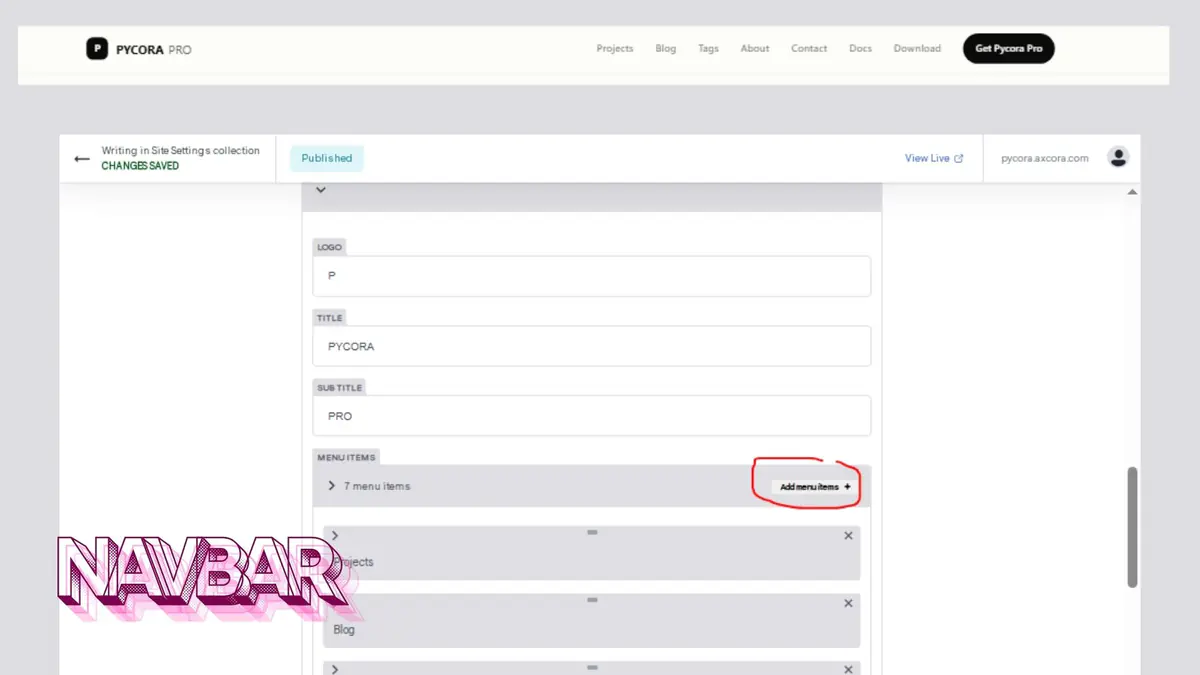
| Field | File Key | What It Controls |
|---|---|---|
| Logo | nav.logo | Single letter or icon in navbar |
| Title | nav.title | Main navbar title |
| Sub Title | nav.sub_title | Navbar subtitle |
| Menu Items | nav.list | Menu links (name + URL) |
| Button → Text | nav.button.text | Navbar CTA button label |
| Button → URL | nav.button.url | Navbar CTA button link |
How to edit menu items:
- Expand Menu Items
- Click any item to edit its Name and URL
- Click Add Menu Items to add a new item
- Click the trash icon to remove an item
- Click Save
Pricing
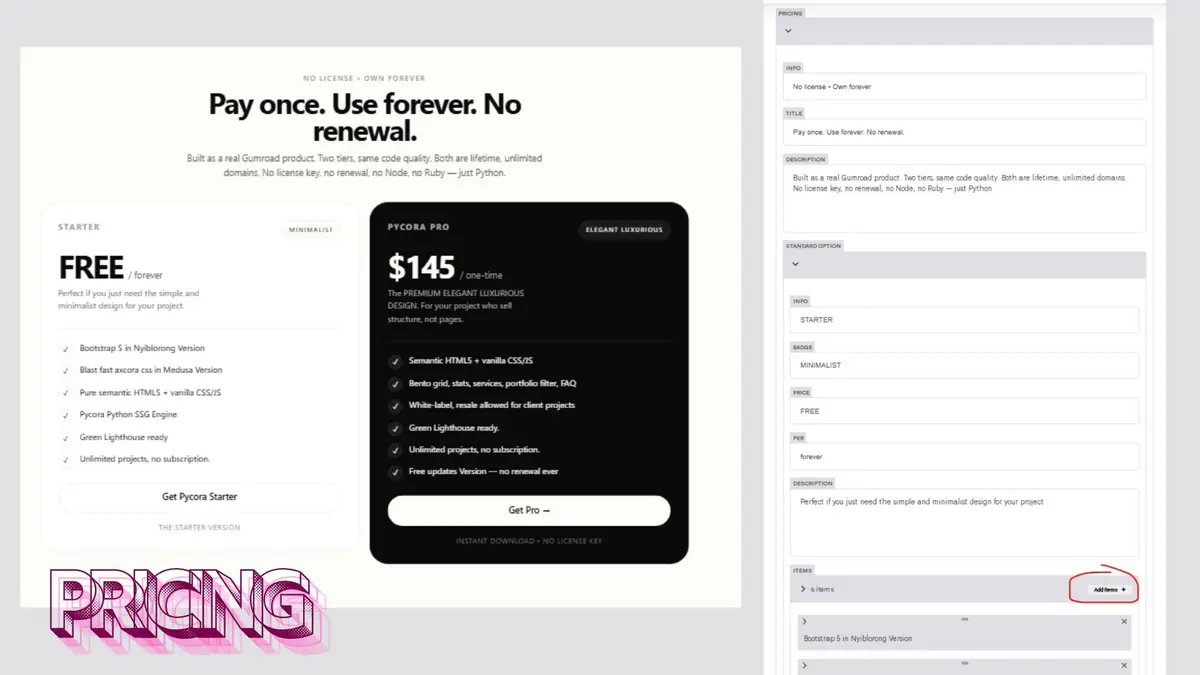
| Field | File Key | What It Controls |
|---|---|---|
| Info | pricing.info | Small label above pricing title |
| Title | pricing.title | Pricing section headline |
| Description | pricing.description | Pricing section description |
Standard Option
| Field | File Key | What It Controls |
|---|---|---|
| Info | pricing.standard_option.info | Tier label (e.g., STARTER) |
| Badge | pricing.standard_option.badge | Badge text |
| Price | pricing.standard_option.price | Display price |
| Per | pricing.standard_option.per | Price period (e.g., forever) |
| Description | pricing.standard_option.description | Tier description |
| Items | pricing.standard_option.item | Feature list |
| Button | pricing.standard_option.button | CTA text, URL, and info |
Pro Option
Same structure as Standard Option, under pricing.pro_option.
FAQ
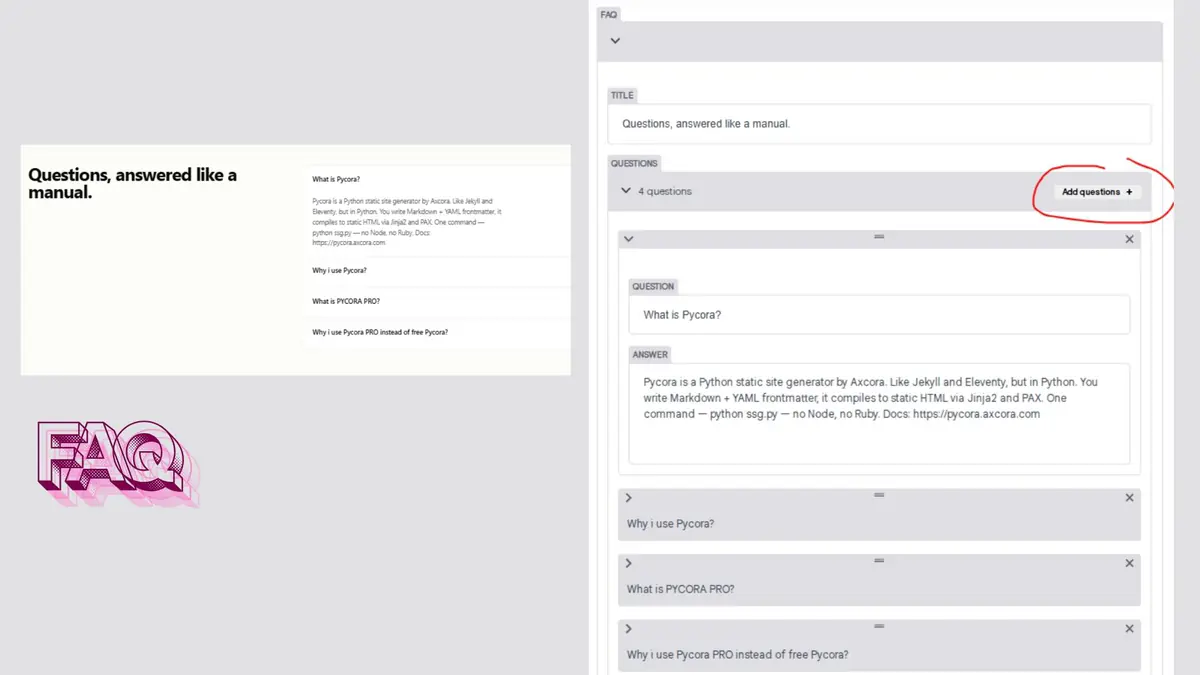
| Field | File Key | What It Controls |
|---|---|---|
| Title | faq.title | FAQ section title |
| Questions | faq.list | List of q (question) and a (answer) |
How to add a question:
- Expand Questions
- Click Add Questions
- Fill in Question and Answer
- Click Save
Footer
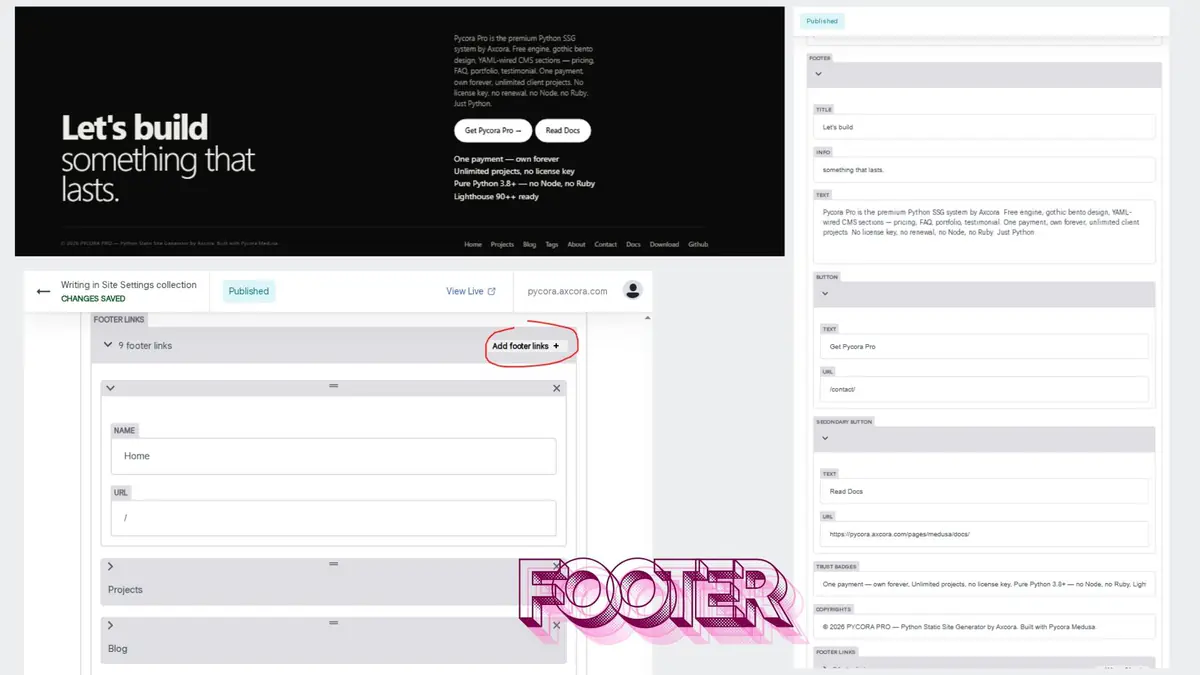
| Field | File Key | What It Controls |
|---|---|---|
| Title | footer.title | Footer main heading |
| Info | footer.info | Footer subheading |
| Text | footer.text | Footer description |
| Button | footer.button | Primary CTA (text + URL) |
| Secondary Button | footer.button_secondary | Secondary CTA (text + URL) |
| Trust Badges | footer.trust | List of trust lines |
| Copyrights | footer.copyrights | Copyright text |
| Footer Links | footer.list | Menu links (name + URL) |
How to Edit Site Settings
- Open the CMS at
/admin/ - Click Site Settings in the sidebar
- Click Site Configuration
- Expand the section you want to edit
- Update the fields
- Click Save
The change applies to every page on the site.
Best Practices
- Set
urlfirst — before deploying, use your real domain - Keep navigation short — 5–7 items works best
- Use real trust badges — vague claims hurt credibility
- Update
copyrights— use the current year - Test the footer links — ensure no 404s
Troubleshooting
Site name does not update
- Check that
_data/site.yamlwas saved - Run
python ssg.pyor wait for the cloud rebuild - Refresh with
Ctrl + Shift + R
Navigation menu missing items
Open nav.list and confirm each item has both Name and URL.
Pricing displays wrong values
Check that each tier has Price, Per, and Items filled in.
FAQ is empty
Open faq.list — at least one question is required for the section to appear.
Footer links lead to 404
Verify each URL in footer.list points to a real page.
Related
What's Next?
Now let's look at the Home Page.